

添加环境变量
setx /m PATH "C:\ffmpeg\bin;%PATH%" 重启桌面
taskkill /f /im explorer.exe
start explorer.exe
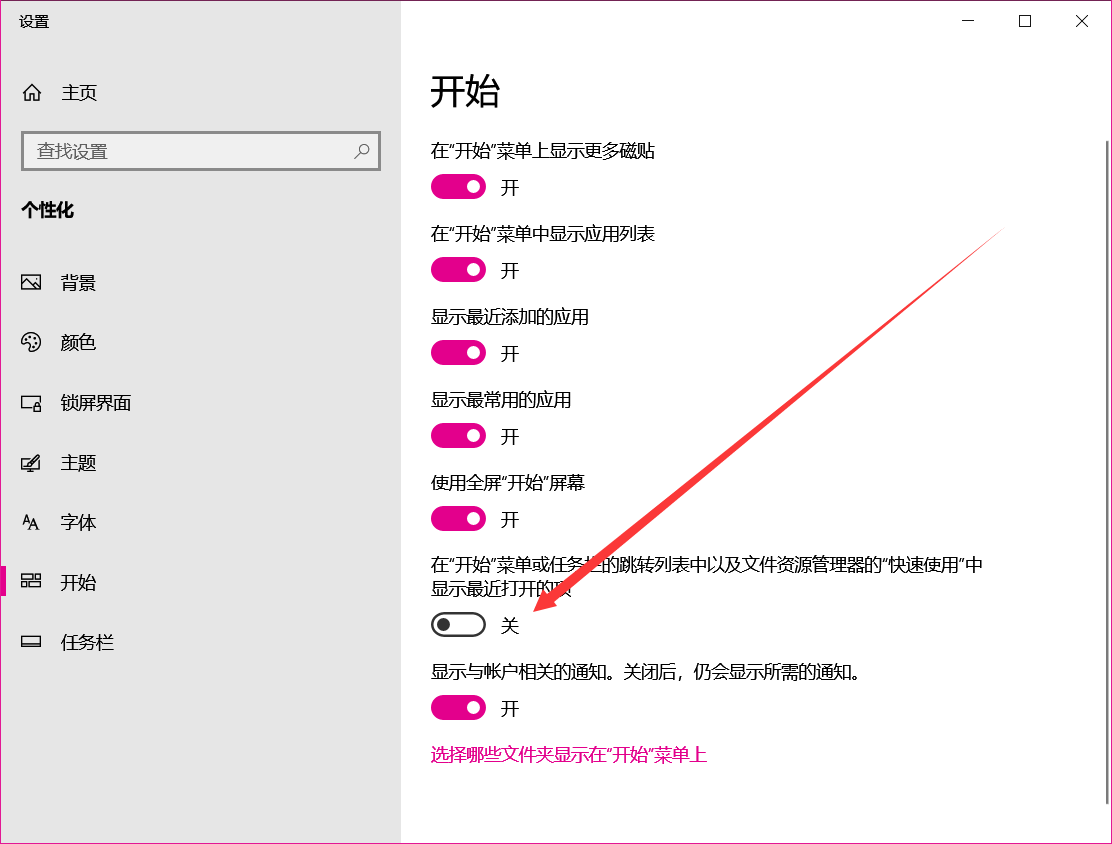
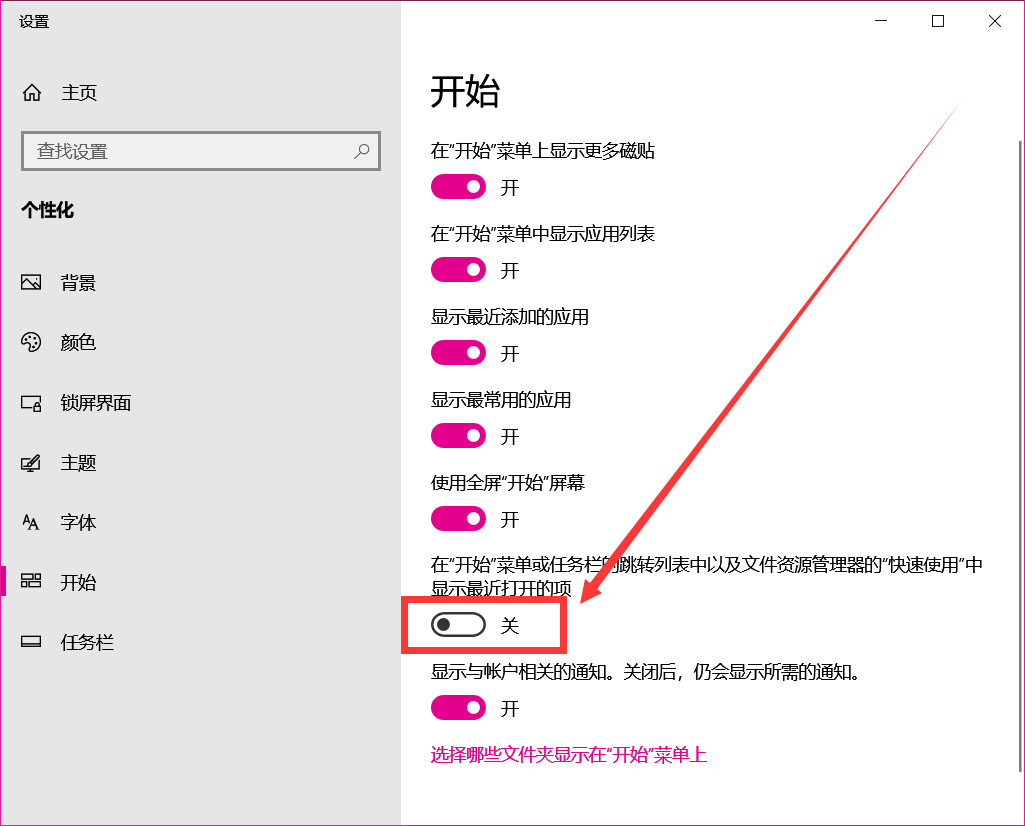
文件管理器卡死
关闭这个功能,或者重启explore.exe
右键菜单变宽
可能是PyCharm或者AMD Software名称过长导致的,进入注册表删除或者使用火绒工具箱禁用就好了
HKEY_CLASSES_ROOT\Directory\Background\shell\PyCharm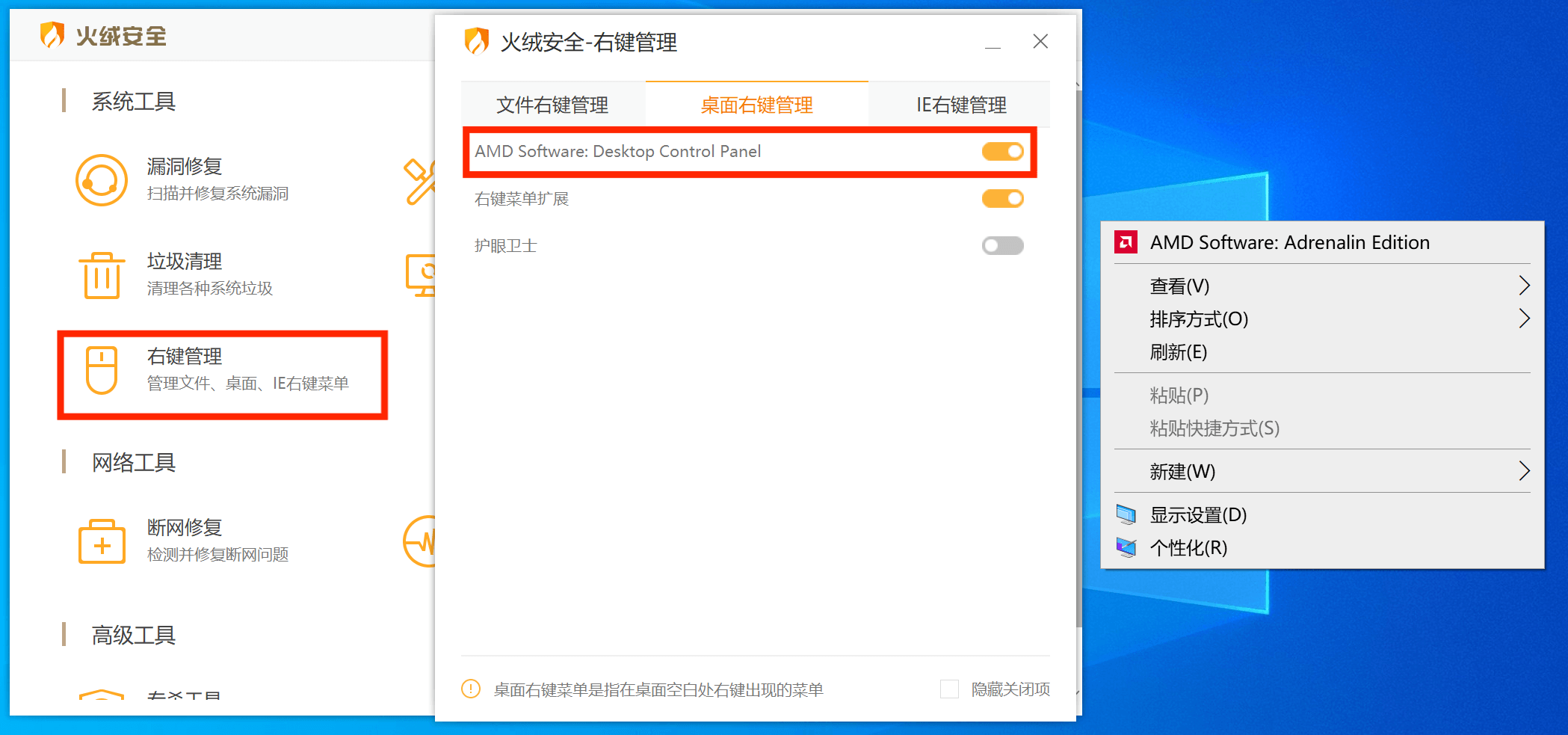


setx /m PATH "C:\ffmpeg\bin;%PATH%" taskkill /f /im explorer.exe
start explorer.exe关闭这个功能,或者重启explore.exe
可能是PyCharm或者AMD Software名称过长导致的,进入注册表删除或者使用火绒工具箱禁用就好了
HKEY_CLASSES_ROOT\Directory\Background\shell\PyCharm


评论 (0)